Documentation
Grom — a free workout ecosystem: your server, your communities, open code.
Grom aims to be a fully free ecosystem for athletes and enthusiasts: run a server for yourself or any community, keep workouts on infrastructure you control, and optionally share activities across communities through federation. It stays open to integrations with available sports services and formats — and remains open source so anyone can help shape it. Longer version: About the project.
Grom is a self-hosted workout tracker with an optional ActivityPub federation layer. Record or import workouts, manage equipment, follow other athletes (local or federated), like and comment on their activities, and browse a social feed — all on infrastructure you control.
The server is a single Go binary; the Flutter client ships as an embedded web UI and as an Android app.
Features
- Workouts — create and edit activities with stats, notes, media, and map previews
- GPS tracks — import GPX and FIT; live recording on Android
- Equipment — track bikes, shoes, and other gear linked to workouts
- Social feed — follow users and see their workouts in one timeline
- Workout likes — like others’ activities, see counts and who liked; federated
Like/Undowhen ActivityPub is enabled - Workout comments — comment on own or others’ activities (add/list/delete); federated
Create/DeleteNote when ActivityPub is enabled - Federation — optional ActivityPub so instances can follow each other across the network
- Strava import — bulk-import a Strava data export ZIP; on Android, optional BYO Strava API sync for recent activities
- Import tracks — multi-select GPX/FIT via the system file picker (web and Android)
- API tokens — scoped personal access tokens (
grom_pat_…) for workouts and equipment - Clients — same Flutter UI in the browser (served by the server) and as an Android APK
- Locales — English, Russian, and German in the Flutter UI
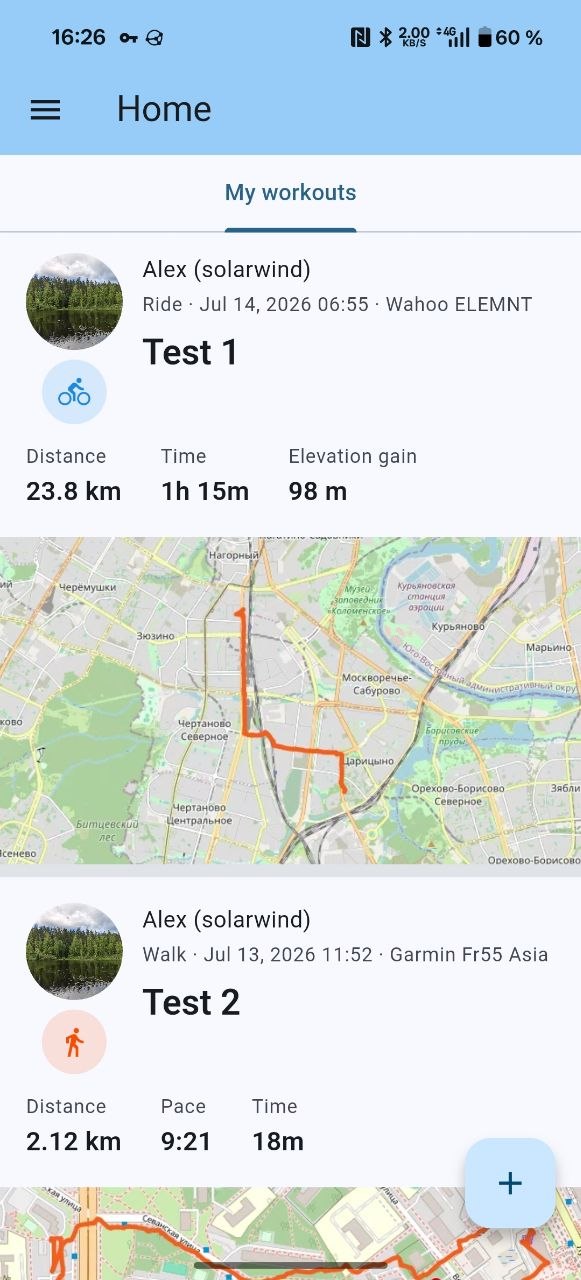
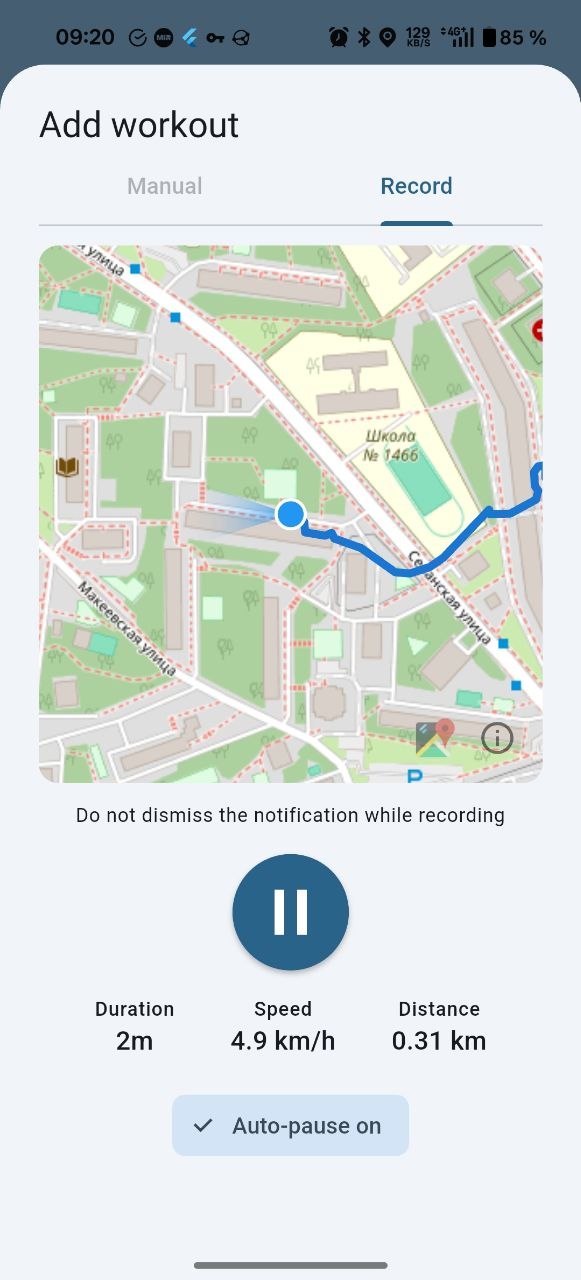
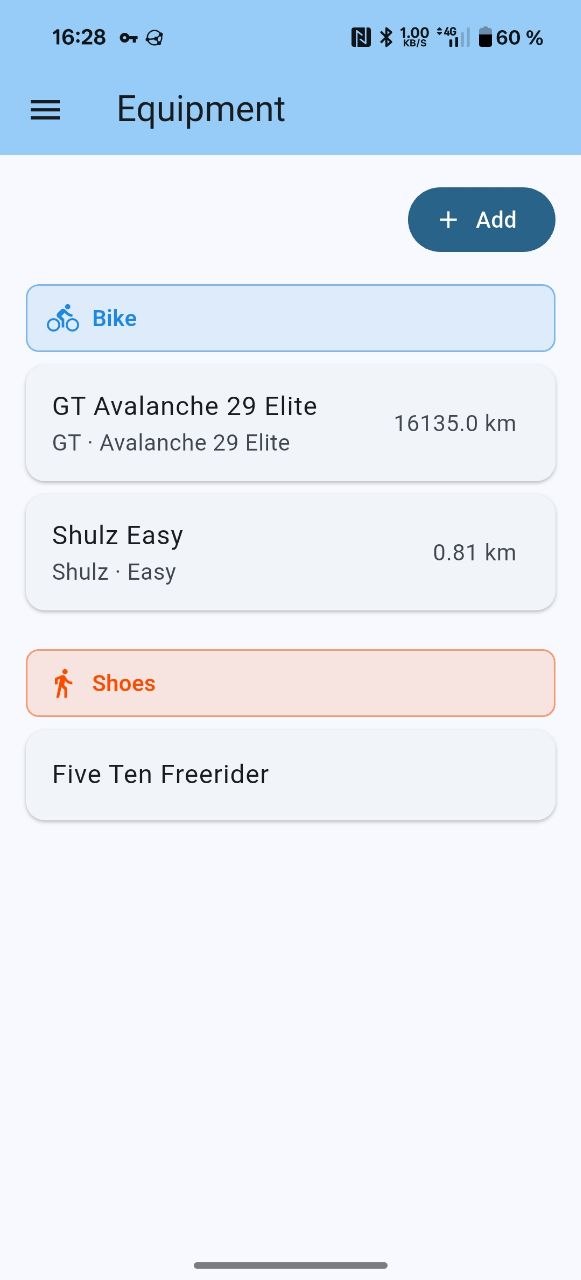
Screen-by-screen tour: User overview. Build and run: Install and run. Source and quick start: repository README.
I want to…
About
| Goal | Page |
|---|---|
| Read the project mission and pillars | About the project |
User
| Goal | Page |
|---|---|
| See what the client can do (workouts, likes, comments, recording, equipment) | User overview |
| Reset a forgotten password (when the operator enables email) | User overview — Sign-in and password reset |
| Sign in / register when the instance enables captcha | User overview — Sign-in and password reset |
| Pick a public instance in the Android app, or list yours | Approved Grom servers |
| Use Grom in a browser (same UI as Android) | Open the server base URL after install; see User overview |
| Import a Strava export (UI + how import works) | Strava bulk import |
| Sync recent Strava activities via API (Android, BYO credentials) | Strava API import |
| Import GPX/FIT tracks via the system file picker | Import tracks |
| Create API tokens for scripts and external apps | Grom API tokens |
| Delete my account | Delete your Grom account |
Admin
| Goal | Page |
|---|---|
| Build and run the server | Install and run |
| Configure TLS, storage, federation, logging, mailer / password reset, captcha | Configuration |
Reference
| Topic | Page |
|---|---|
| Strava ZIP column mapping and import behavior | Strava bulk import |
| Strava API sync on Android (BYO Client ID/Secret) | Strava API import |
| Multi-file GPX/FIT import (client) | Import tracks |
| Full annotated config | config.full.yaml |
| HTTP API (Swagger UI) | On a running server: /api/docs/ (e.g. http://localhost:8080/api/docs/); OpenAPI sources in api/docs/ |
| Privacy policy | Privacy Policy |